
Copying a base is the fastest way to get a proven layout into your village. But the players who get the most out of it don't paste and forget — they adapt the layout to their own account. This guide covers how the copy link works, how to import it on iOS and Android, and how to adjust it so it actually holds up.
Quick steps (30 seconds)
- Open a base you like and tap Copy Base Link.
- Confirm opening Clash of Clans.
- Save the layout in your in-game Layout Editor.
- Fill the empty building slots, add your traps, and place your heroes.
That's the whole flow — but read on to adapt it properly so it doesn't leak.
What the "Copy Base Link" does
When you tap Copy Base Link on any base here, it opens Clash of Clans and loads that layout into your in-game Layout Editor. It does not overwrite your village automatically — you review it first and then choose to apply it. Buildings you haven't unlocked yet simply show as empty slots you can fill later.
Transparency: when you tap Copy Base Link, we count one anonymous copy so we can rank the most-copied layouts across the site. No account, login or personal data is involved — it's just a tally that powers our "Most copied" and "Trending" lists.
How to import a base (iOS & Android)
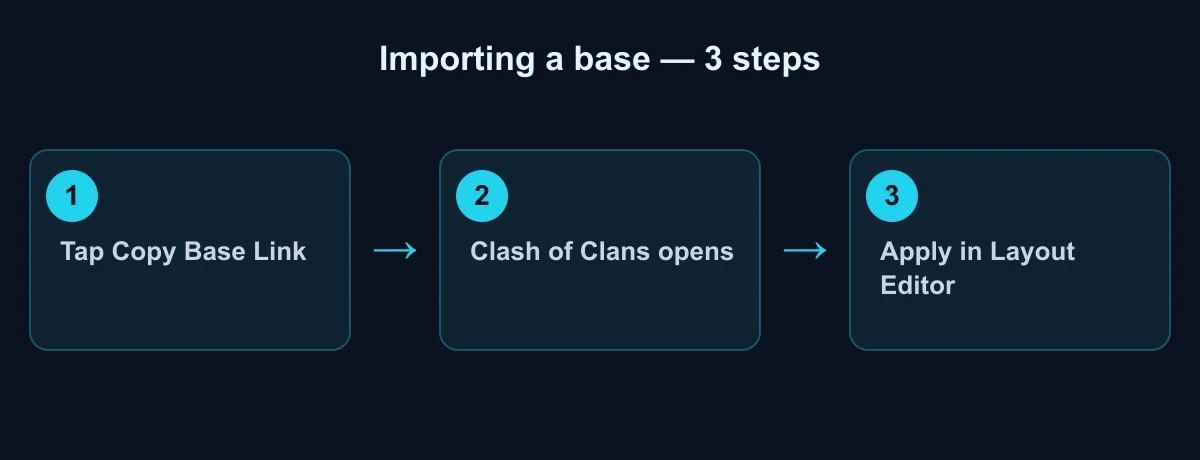
- Open the base you like and tap Copy Base Link.
- Confirm opening Clash of Clans when your device asks.
- The layout opens in your Layout Editor.
- Tap Save / Apply to set it as your Home Village, War, or Builder Base layout.
Adapt it to your account (the important part)
A layout that's perfect for a maxed account can leak badly if you paste it blindly onto a lower Town Hall. Take two minutes to adjust it:
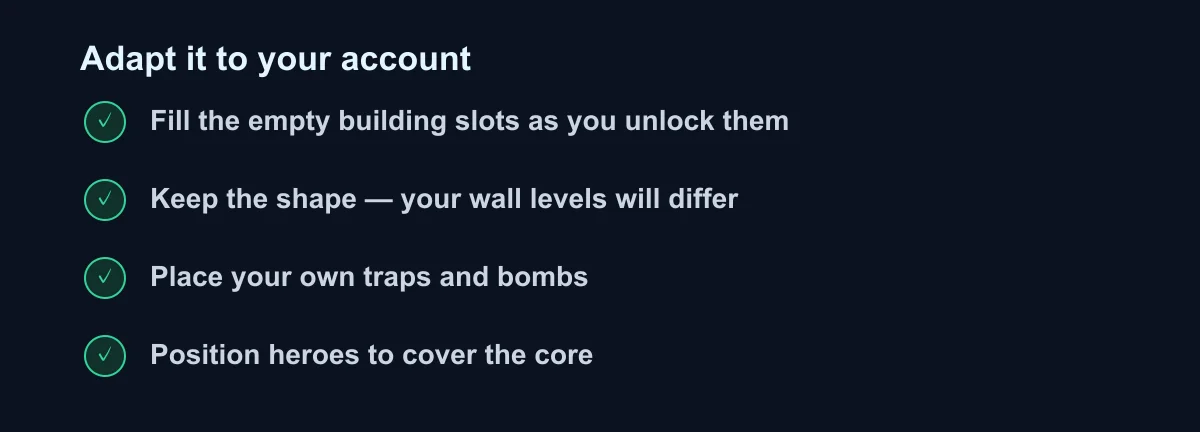
- Fill the empty slots. Buildings you haven't unlocked leave gaps — place them there as you unlock them, following the same pattern.
- Keep the shape, not the levels. Your walls and defenses will be lower level than the original. That's fine — the geometry (compartments and spacing) is what matters.
- Place your own traps and bombs. Set them where attackers naturally walk (funnels and just behind the outer ring). Don't leave a side undefended.
- Position your heroes so they cover the core and the most exposed edge.
- Match the goal. Protecting the Town Hall (war) and protecting your storages (farming) pull the layout in different directions.
Find a base for your Town Hall
Browse ready-to-copy layouts and filter by rating or how many times each was copied:
For war and CWL, prioritise protecting the Town Hall and spreading your highest-value defenses so a single spell can't hit several at once. For trophy and home defense, balance Town Hall protection with keeping your storages away from the edge.
Common mistakes
- Copying a base above your Town Hall level — you'll be missing defenses the layout relies on, which leaves big holes.
- Skipping traps and heroes — they're often the difference between an anti-2-star and an anti-3-star result.
- Never testing it — after applying, check your defense log or run a friendly challenge to see how it actually holds.
Troubleshooting
- Nothing happens when I tap the link. Make sure Clash of Clans is installed and updated, then tap the link again — ideally from your phone, not a desktop browser.
- The layout didn't import. Confirm you're logged into the account you want to edit, and open the link from the same device where the game is installed.
- Some buildings are missing. You haven't unlocked them at your Town Hall level yet — fill the empty slots as you progress.
- It applied to the wrong slot. In the Layout Editor, switch between Home Village, War and Builder Base and apply it to the one you meant.
FAQ
Does copying overwrite my current base? No. It loads into the Layout Editor; you apply it manually.
Can I edit a copied base? Yes, freely — move anything in the Layout Editor before or after applying.
Why are some buildings missing? You haven't unlocked them at your Town Hall level yet. Fill the empty slots as you progress.
Sources
- Supercell — Clash of Clans, official site (Layout Editor and base sharing): supercell.com/games/clashofclans
- Clash of Clans Wiki — Layout Editor: clashofclans.fandom.com